For studio owners & staff
DanceUp Studio
The front desk, untethered from a desk
A dedicated tablet app for the studio's front desk — built to run on a mounted iPad or Android tablet, locked to landscape, sharing the exact same backend and account as the web dashboard.
See how this fits with the rest of the platform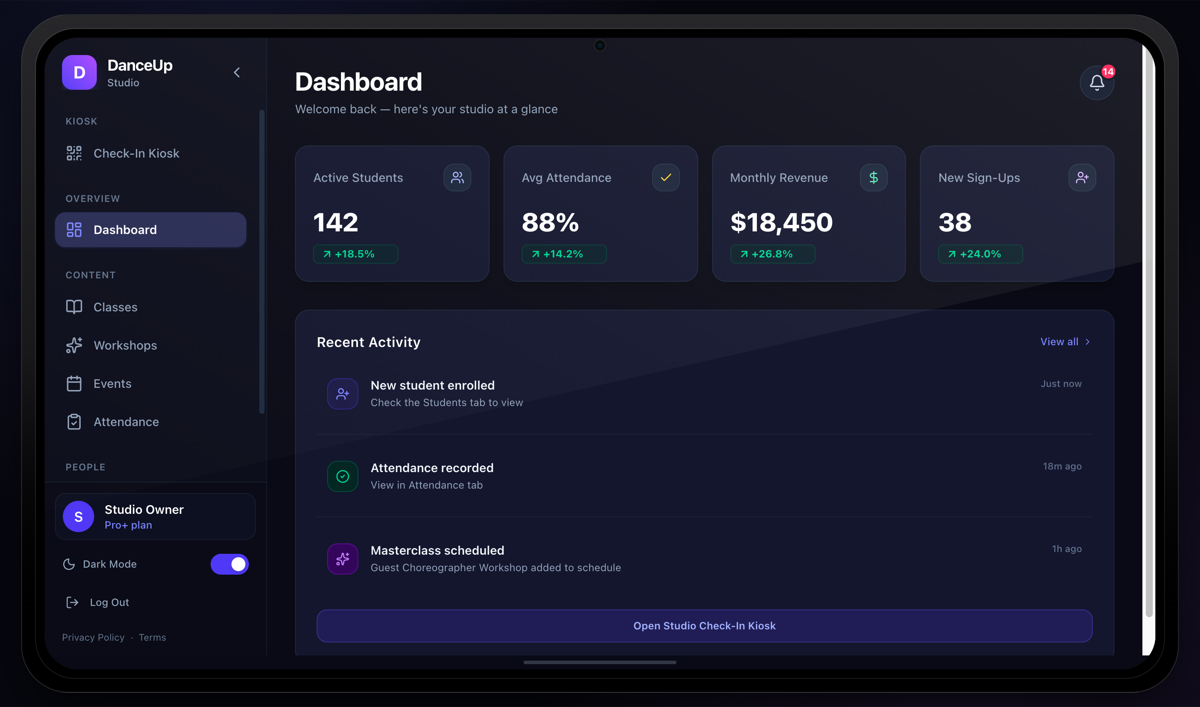
Dashboard
The same key numbers as the web app
Active students, average attendance, monthly revenue, and new sign-ups — the exact same stat tiles as the web dashboard, plus recent activity and a one-tap shortcut into the Check-In Kiosk.
The signature feature
The Kiosk
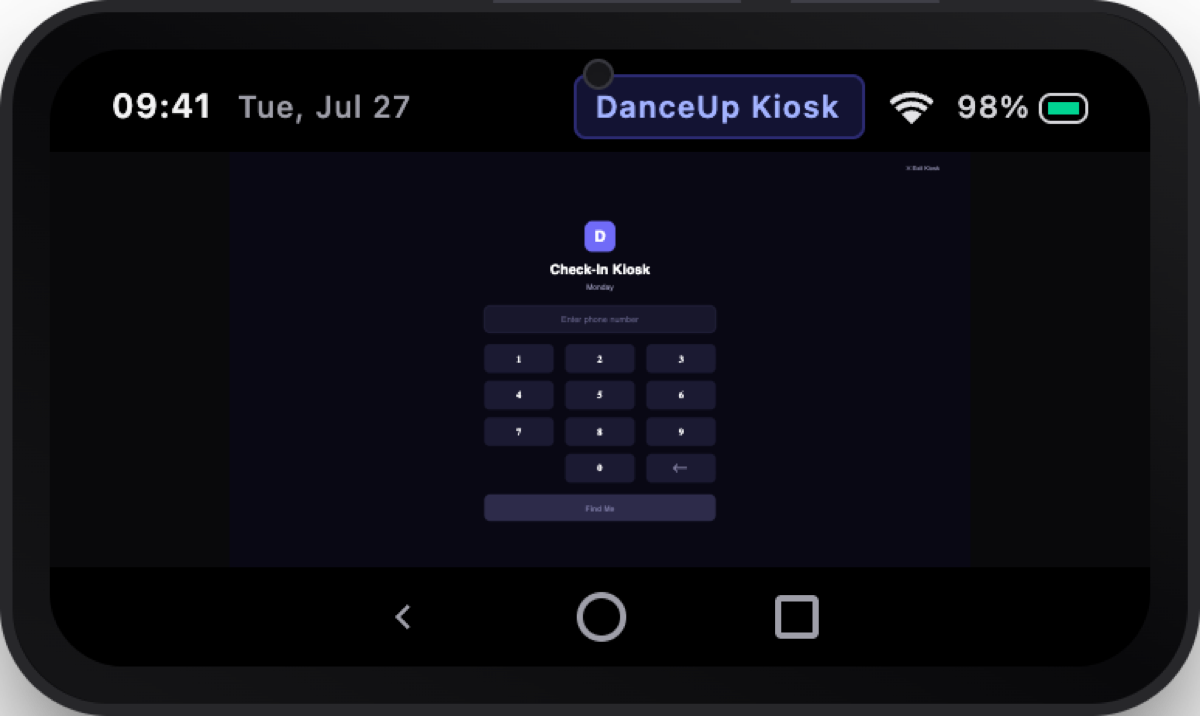
A walk-up student types the last digits of their phone number, picks themselves from the matches — families sharing a number included — taps today's class, and checks themselves in. No staff intervention required. The screen auto-resets after a few seconds, ready for the next walk-in.
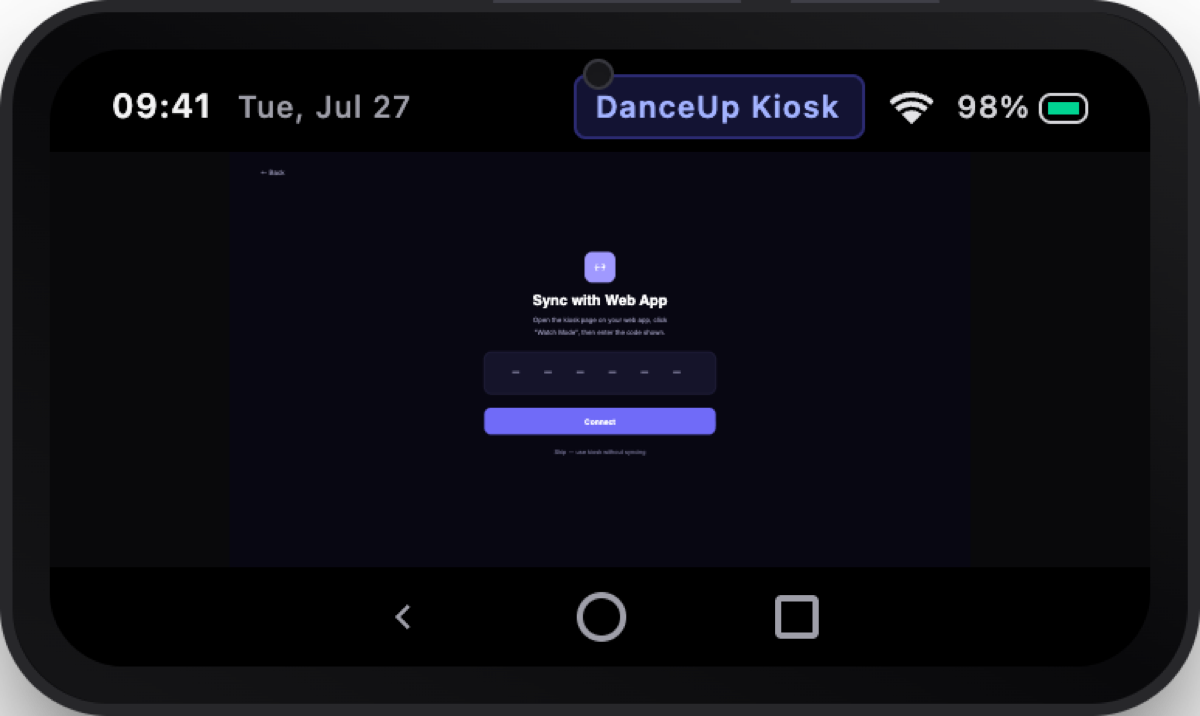
Pair the tablet to the web dashboard with a 6-character code from Watch Mode, and check-ins recorded at the kiosk appear on the owner's web dashboard in near real time — whether they're at the front desk or working from home.
The same scanner also handles QR/barcode check-in for ticketed events and workshops, with front/back camera toggle and clear "already checked in" states.
People
Every student, one screen
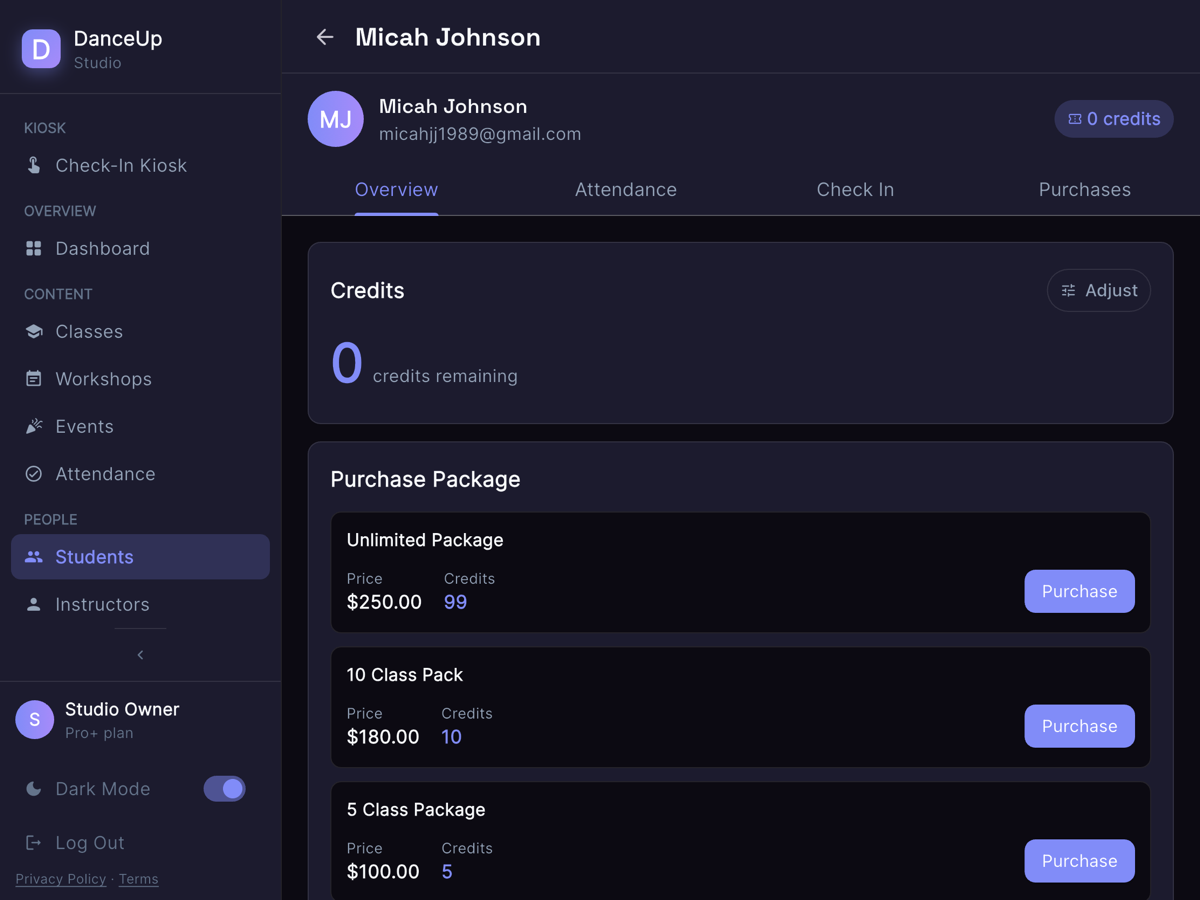
A 4-tab student view — Overview with credit adjustment and computed lifetime value, Attendance history, a staff Check-In form, and Purchases with refund actions. Look up anyone from the floor, no laptop required.
Content
Full class, workshop & event management
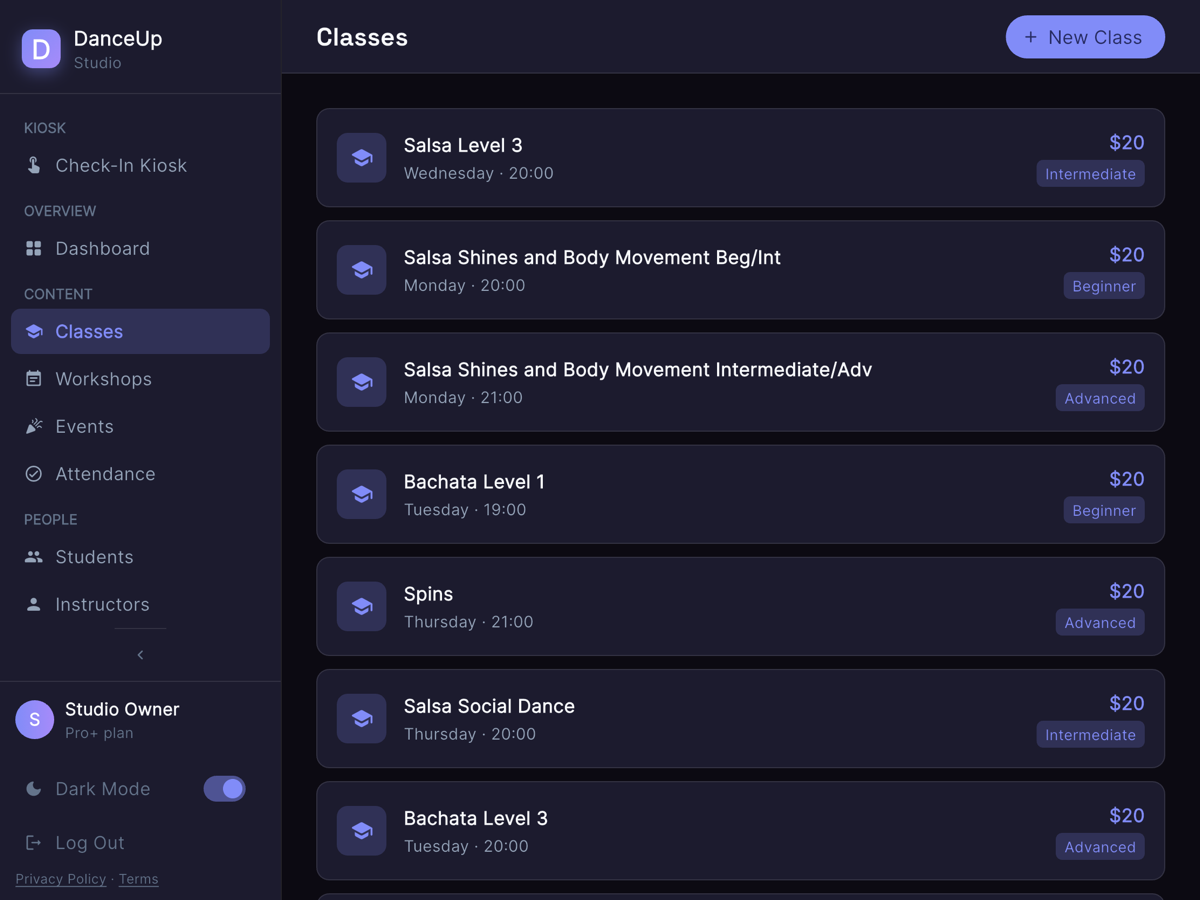
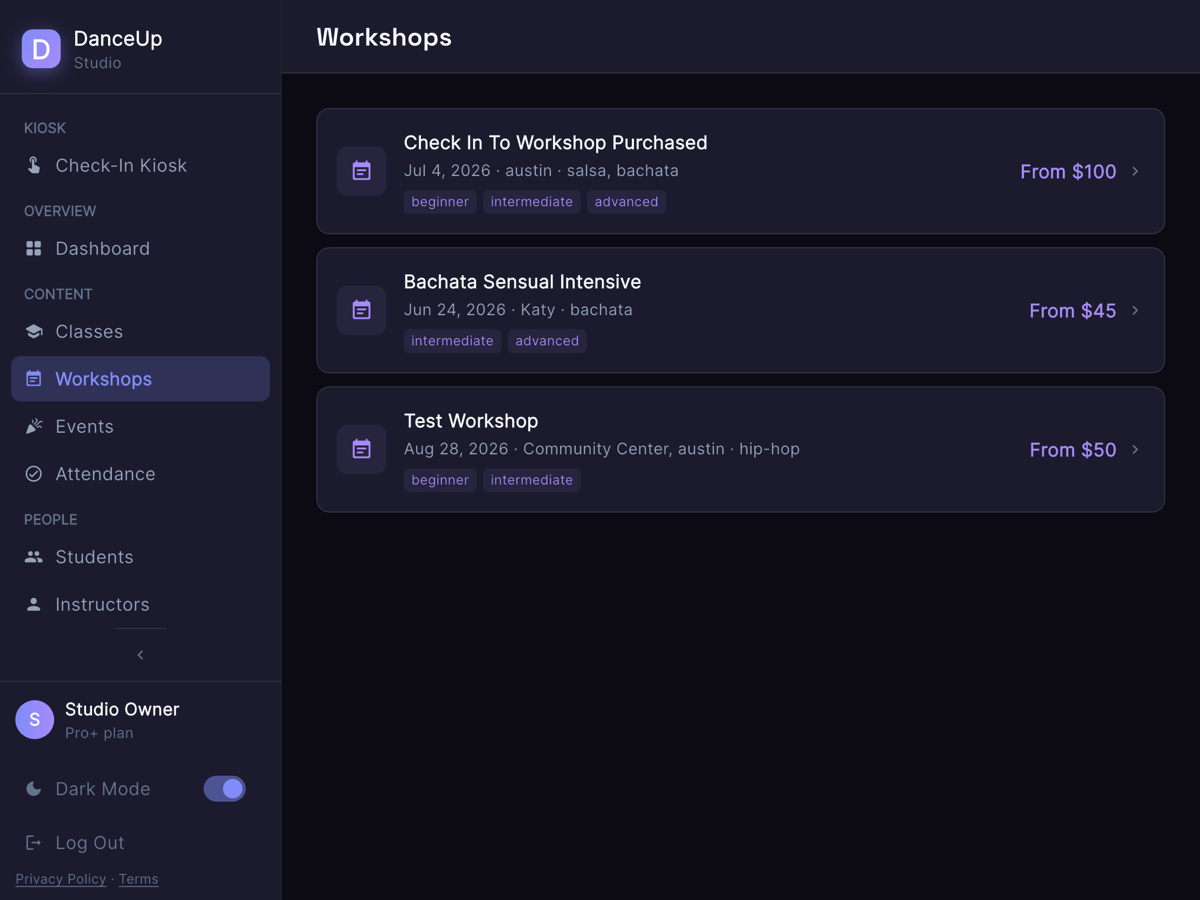
Create and edit classes with instructors, schedule, dance genre, room, and capacity — mirroring the web app's taxonomy so staff get the same categories whether they're on the tablet or the laptop. Manage workshops and events with a built-in QR scanner for check-ins.
Built for the front desk, not just a smaller laptop
Attendance, honestly tagged
Every check-in is tagged by how it happened — "Self check-in" vs. "By studio" — visible in reporting on both the tablet and the web.
Studio-wide attendance & instructors
Attendance reporting and instructor profiles right on the tablet, plus a notifications feed so nothing gets missed.
Connectivity aware
A banner surfaces the moment the tablet loses internet, so front-desk staff aren't caught off guard mid check-in.
Studio profile & billing
Including a self-service data export and account deletion flow with GDPR/CCPA-style transparency about retention windows.
Dark mode
A toggle built for evening classes and low-light front desks.
iPad and Android tablets
Locked to landscape, designed to live mounted at the front desk — not a phone-sized experience stretched wide.
Get DanceUp Studio
Free with every Studio Owner plan. Set up the kiosk in minutes.